Tricks5

  • Home
  • Referral Code
  • Technology
You are here: Home / Archives for Tricks5

How To Fix This Copy Of Windows Is Not Genuine {Solved 2019}

January 1, 2019 by Tricks5 Leave a Comment

Fix This Copy Of Windows Is Not Genuine

A Complete Guide Step by Step on How To Fix This Copy Of Windows Is Not Genuine:                                            Yes you got it right today I share a very common problem faced by windows user “this copy of windows is not genuine” problem.
fix this copy if windows genuine

Even new technologies emerge every day now and then but still, windows are the best operating system for personal as well as business purposes. Majority of the people uses  Windows operating system on regular basis for business works or personal needs all around the globe. Just imagine you have important work to do and a message pop ups saying “This Copy Of Windows Is Not Genuine”. 

This makes someone most frustrated and isturbed when you are busy with your work. This usually happens when you are not using the genuine Windows license copy.

The message this copy of windows is not genuine fix pop-ups every time when you turn on your PC or operate your computer or laptop.

If you have a genuine copy of windows then its ok but when you are not using the genuine copy of windows.  Then, in this case, you have to face this problem of windows activation error.

Finally, the wait is over, I will share a post of permanent solution of “remove this copy of windows is not genuine 7601″

We gave you a complete step-by-step process on how you can fix this windows not genuine error problem. Generally, this kind of errors arises in windows 7 build 7600.

Most of us use Windows as our systems who use computers and notebooks. It so happens that after you install Windows on your system you begin to see this image. It says This Copy of Windows Is Not Genuine. So with the help of this How to Remove Windows 7 Genuine Notification Build 7601 guide, you can easily fix it.

Similar Problems to This Copy Of Windows Is Not Genuine.

There are many problems associated with Windows not genuine errors, This copy of windows is not genuine build 7601, this computer is not running genuine windows in it. This copy of windows is not genuine build 7600, build 6002 you face this similar kind of problems.

This kind of errors is faced in all Windows versions of Windows 7, Windows Vista, Windows XP, Windows 8,8.1 & Windows 10.

We have provided many methods to get complete solution of this remove this copy of windows is not genuine permanently.

Let’s get started,

Methods to Solve This Copy of Windows is not Genuine

Method 1: Very Easy Just Uninstall KB971033 Update.

Whenever you work on a computer or operate it, you will get an error message of “this copy of windows is not genuine 7601 fix”. Basically, it means that your Windows has an updated file which is capable to detect your Windows operating system.

Hence to get rid of this problem simply uninstall the following updates.

Step 1- On Left Side of Window Click on Start menu option, then open the Control panel window.

Step 2- After that Click on System and Security.

Step 3- Then click on Windows update option.

Step 4- Then you will Find the update of KB971033. Right, click on this update.

Step 5- Click Uninstall. This update will be uninstalled in few minutes.

Step 6- Restart your computer or laptop.

Method 2: Using Command Prompt Method.

Step 1- By using a command  SLMGR -REARM in the command prompt you will get rid of this problem very easily. In start Menu search for CMD and run the command prompt window as your administrator.

Step 2- Once you have Command prompt window opened, Enter the SLMGR -REARM command in the command prompt window and hit enter. Sometimes this command may not work in windows 7 version so may you can try for SLMGR/REARM.

Step 3- Hit Enter button. Then you will get a message to restart your computer.

Step 4- Click on OK  then your PC will restart your computer successfully.

Once you restart your PC or Notebook then you will see that the messages “this copy of windows is not genuine” will no longer pop up on your screen. This way you will remove this copy of windows is not genuine error for permanently.


Method 3:  RSOP Tricks to Remove the Error of “This Copy of Windows is not Genuine

Another great method to remove the error generated on your windows screen through RSOP method where RSOP stands for Resultant Set of Policy Window. 

Step 1-Start by Pressing Windows + R button to Open Run Windows

Step 2- Then Type rsop.msc in the run window and then press the Enter button.

Step 3- Now follow this path which is Windows Settings > Security Settings > System Services.

Step 4- The window box will appear on your screen that will look like-

Step 5- In above fig, you see the highlighted option, Plug, and Play in system services. Right click on it  and find the startup option.

Step 6- From Startup option, choose an automatic option from there.

Step 7- After above steps are complteted again press Windows + R button to open RUN windows. When these RUN Windows get opened then you can paste this command- update /force. Then press the enter button.

Step 8- Restart your computer.

Well, Just following above steps,

You will finally get rid of this problem “this copy of windows is not genuine build 7601”.

Method 4: Turn OFF the Updates To Remove this copy of windows is not genuine.

Well, when you used the pirated version of Windows OS then it is strongly recommended to turn off updates.

You must turn off the updates to solve “this copy of windows is not genuine build 7601 fix” problem.

Simply turn off the updates, otherwise, your windows will get updated automatically,

If your windows get updated automatically then it will generate the notification of “This Copy Of Windows Is Not Genuine Fix”.

 Follow these steps to stay away from getting this message-

Step 1- Open the Control panel from the Click on start button And open the Control Panel.

Step 2- When you open control panel, then go to Windows update option.

Step 3- Click on “Install Updates Automatically” option from there.

Step 4- Select “Never Check for Updates” options.

Step 5- Click on Apply to changes these setting will turn Off the updates successfully.

Conclusion: This Copy Of Windows Is Not Genuine Error.

Everybody wants to get there work done quickly, and its there dream to get an error-free PC or Notebook. So Basically this topic is all about this copy of windows is not genuine build 7600 error. We have provided you best suggestive methods that you can try,

To get rid of the interrupted message that says “This copy of Windows is not genuine fix”.  Above methods are fully tested and used. If you follow our guide correctly then you will definitely get rid of windows is not genuine error.

If you find our guide useful then plz share and bookmark it for future updates.

Tricks5
Tricks5

I am Very Enthusiastic about Writing Tech, Smart Phones, Products Reviews, Offers, and deals. I have been writing on tricks5.com since 2015.
tricks5.com

Filed Under: Uncategorized

Free Fantastic Logo creator 2019 (updated)

January 1, 2019 by Tricks5 Leave a Comment

How to Make Fantastic Logos with DesignEvo

Are you trying to make a logo for your new start-up, website, small business, shop and so on, but do not have a budget to hire professionals, and know nothing about graphic design?You should try DesignEvo logo maker out and you will be surprised at what it can do for you!

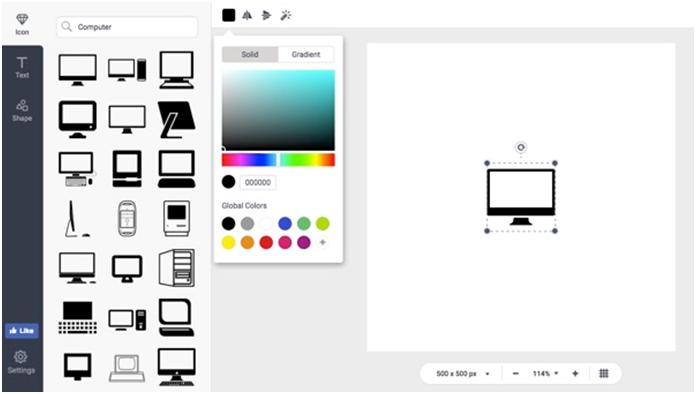
It’s simple and straightforward. To create a fantastic logo, you just need to spend a few minutes on the site and the best of all, it’s completely free! You can search through millions of iconsfrom its large library of database, and choose from 100+ free fonts to use. Type the keyword in the search box and DesignEvo’s smart search engine will find the related icons for you. You only need to select the one you want with a simple click, and go to adjust opacity and mirror effect on the editing canvas.It’s also easy to add company name or slogan on your logo, and further editthe color, style, alignment, format, and so on.

How to Make a Logo withthree Steps

Add Iconsor Shapes

A large collection of vector icons and shapes are available. Whether you want an icon that fits yourrestaurant, travel agency, education club, real estate, photography studio, or technology website, DesignEvo will serve you. To enhance the logo with some shapes, you have choices of circles, rectangles, triangles and lines, which can be freely scaled without losing quality.

111017 0324 Freelogocre1

Edit Text

Text matters a lottoyour logo. Usually, you canadd your company name and slogan if you have. DesignEvo offers you hundreds of free fonts and styles and you cancustomize font color, style, size, alignment, spacing, or add outline and glow effectsto make your logo text unique and distinct.

111017 0324 Freelogocre2

Download

Once you are satisfied with your logo, you have the option to preview how it will look like if it’s printed on your business card, stationery, envelope, shirt, etc. After that, instantly download the logo to your computer, without any restriction and watermark. You will get a zip file, which containsa JPG and PNG, as well as a transparent PNG file.

111017 0324 Freelogocre3

With DesignEvo, you don’t need any previous experience or skills to complete a custom logo. You can see some of its highlighted features here:

* Completely free to use.

* No need to register.
* Very intuitive and easy to use.
* No professional skills are required.

* No need to download any software.
* Over 1,000,000professionally-designed icons.
* Choose from 100+ free fonts.

* Lots of shapes, symbols, banners, and decorations available.
* Undo and redo every step of logo editing.
* Preview function.
* Download without limits.

Verdict:

DesignEvo is one of the best logo design tools online. It helps everyonemakefantastic logos simply, quickly and download for free.

No matter who you are, like bloggers, small business owners, entrepreneurs, or startups, you can takeDesignEvoas your free logo design expert and use it to create professional logos for marketing needs or promotional purposes. It also has many customizable logo templates from which you will findmany ideas to design your free custom logo.

Tricks5
Tricks5

I am Very Enthusiastic about Writing Tech, Smart Phones, Products Reviews, Offers, and deals. I have been writing on tricks5.com since 2015.

tricks5.com

Filed Under: Uncategorized

Best SMS Apps for Android 2019 (Verified)

January 1, 2019 by Tricks5 Leave a Comment

The Android market, for one, never fails to provide SMS Android app a modern bit firmly. Presently, there could be varied applications that may help manage your SMS messages and present them because we are part of a visually appealing manner other then among these apps. One as to the basic desires associated with a mobile phone is to
firmly be able to firmly connect to firmly some individuals from the power of texting. Text messaging, too called SMS, is definitely as to the functions never to firmly be missed out because we are part of a phone. Though text messaging is a previous purpose, it’s sensible to firmly be aware that its vogue has evolved after a while.

Here some hailed as awesome SMS Android app are presented below:

SMS Popup:

This is often a customizable application which seems to come with features to firmly improve the efficiency of your respective SMS. SMS popup’s user interface is straightforward and practical. One among its useful features happens to be the popup dialog box that allows you to firmly reply quickly once you receive a brand new message. In case you
get a brand new SMS, an atiny low dialog box can pop up showing the answer and the partner sending it.You can check URET Patcher for patching paid apps for free.

Moreover, you might want to merely reply or delete the SMS from this dialog box. What’s a lot of amazing is you can employ the app’s voice button to firmly utilize speech-to-text feature. This is often particularly nice when you’re already tired with precious thumbs. Surely, SMS popup is definitely must-have extension to firmly your customary SMS application.

Handcent SMS:

This is often an enhanced SMS Android app that delivers a large amount of customization choices. This android app shows text message conversations because we are part of a bubble design that would be easier to firmly follow and is a lot of pleasing to seem at as compared to firmly the customary SMS system in Android. Still, you
might want to alter the background color of your respective conversations, choosing from many different kinds of message presentations and importing new font packages to firmly fancy the lettering.

Once you open handset from the Android phone, you may see a list of your respective contacts and to firmly begin a messaging session with a brand new contact, you either opt for an existing contact or you hit
a button for the high as to the screen. After choosing a contact, you may see a screen containing a message stream from the most recent messaging session with that specific contact. You might want to currently begin the messaging and continue the stream.

Handcent’s interface includes a phone button for the high just about every one of them messaging screen in situations when you decide to firmly stop the messaging session and decision the partner. A handset widget from the phone too tells you if you really have new messages and just how many there could be. Overall, this app lets you spruce the look and feel of your respective Android phone’s messaging purpose.

ChompSMS:

This is often one nice text messaging app that includes features like contact picture thumbnails, time stamps on messages which you ll notice are shown in sequence, set-up of specific ringtones for contacts, and blacklisting of bound numbers. Compared to firmly alternative applications, chomp SMS is amazingly abundant a similar
other then the only real distinction is it features ads along side bottom of your respective screen.sms androidIf you really wish to enable the quick decision and contact picture functions, you only want to firmly go to firmly settings, then customize look, scroll to firmly the bottom and check the very last 2 features. The bonus purpose in this app is it features a free text messaging service referred to as textfreek. In spite of this, it’s solely exclusive among textfreek users. Having Nokia 220? Check WhatsApp for that phone, Nokia 220 VXP.

GoSMS:

Among the totally different SMS applications, SMS Android app is often the only real app that offers security and back-up or recovery settings. Such settings are handy most especially if you’re thinking of doing a factory reset or you wish to amendment phones. The security settings are incredibly similar to firmly android’s lock screen settings, that supply pin-based unlocking strategies.

Google Voice:

One as to the features in this app is it assigns a private phone range to you personally like the user. You can employ this range to firmly build calls or to firmly send text messages via the online. Google voice’s on-line service archives your voice mails and text messages, giving you a commit that you may never lose your conversations. The downside in this android application is it lacks customization choices or most as to the features that alternative apps have. In
spite of this, it makes up with its ability to firmly send free text messages and to firmly sync with the Google account. In situations when you’d run into wi-fi hotspots or you wish to build a few international calls, Google voice would continually can be found in handy as an awesome SMS Android app.

Tricks5
Tricks5

I am Very Enthusiastic about Writing Tech, Smart Phones, Products Reviews, Offers, and deals. I have been writing on tricks5.com since 2015.

tricks5.com

Filed Under: Uncategorized

Make Free Conference call Try now (Latest 2019)

January 1, 2019 by Tricks5 Leave a Comment

Free Conference call Applications

Do you know how to make a free conference call?  if not then this article guide you to make free conference calls to other with your PC or mobile, we are showing apps available to make free conference calls. When you want to contact people in a group that may be your friends, Relatives, or Your colleagues. The best option is a conference call.

Technology has developed many apps that help us in reducing our energy making us smarter and smarter, Now we are going to check some apps that we can use to make a free conference call.

1. IMO Free group or conference call(video)

conference call

This app is available for both Android, Desktop and IOS you can download from below links. IMO provides free voice calls and video calls.

IMO FOR ANDROID

You will be redirected to Apple store.

IMO FOR IOS

IMO has released official application which supports windows operating system you can now check how you can install without bluestacks and install IMO directly.

IMO FOR DESKTOP

Creating Group in IMO:

Go to menu – iPhone users find at top left corner and android users bottom left.

Menu >> Create a group chat >>  Add Name to the group >> Tap on Next.

Your Group created successfully now Add members to the group.

If you want to add New members then

Hold on group name >> Tap Profile >> Add New member>> Search for contact >> Add contact.

Making a Video call:

You create a group and Added members to group  Now start a conversation.

Tap on Start Conversation >> Tab on Video button >> it will inform all your group members to join the call.

After they accept you. You can talk with all of them at a time.  If they ignore your call then you will be in waiting for state.

Access Facebook Full Desktop Website On Android(facebook full site)


2. Voxeet conference call  Application.

If you have ever been confused by who said what within a conference call, you’ll almost certainly appreciate Voxeet’s 3-D audio, speaker recognition feature. Images of everyone on the call appear around a virtual conference table.

features:

  • When ever a person on the right side of the screen speaks you’ll see a visible cue and hear his / her voice in your right ear.
  • Hd sound and can chat with people by selecting “Always On”
  • can switch from one device to other devices (desktop to mobiles)
  • With free version, you can call to 5 people at a time and you can also check paid versions

Related: Applications to Help You Start off Selling on Facebook — Now

The software is readily available for iPhone, Android, and Windows.

3. Uberconference Conference calls App.

Features:

  • Colorful interface.
  • computerized social media interfaces.
  • Invite by sending invitation link.
  • purchase pro version for automated calling.
  • available for Android and I-Phone.
  • Free up to 17 people, send with the brand message, you can eliminate then by upgrading to paid version.

Check Uber conference

Conclusion:

These are all verified applications are used for free for personal use, then enjoy services.

You can make free calls with these apps. if you have any problems in making conference calls then please do comment and give a chance to help you.

Tricks5
Tricks5

I am Very Enthusiastic about Writing Tech, Smart Phones, Products Reviews, Offers, and deals. I have been writing on tricks5.com since 2015.

tricks5.com

Filed Under: Uncategorized

Mobile Wallets Explained In Detail: For Beginners

December 31, 2018 by Tricks5 Leave a Comment

The world, especially the young are constantly on a move today and prefer to travel light. The only thing they love to carry is a mobile which has become almost inseparable from them. And if you think all that a smartphone does is make calls and messages, you need to think again. The smartphone has become a sort of handyman which lets them handle everything remotely. The latest profile added to it is payment. Mobiles are now being used to make money transactions contributing to the world going cashless.

What exactly is a Mobile Wallet?

A mobile wallet, also known as digital wallet and e-wallet, are essentially virtual wallets which facilitate payment services enabling businesses and customers to send and receive money via mobile devices. A mobile wallet can hold digital money and can be used to make payments, recharge DTH, utility bill payments, book tickets and more. E-wallets have gained popularity over the last few years. Especially after demonetization, India took to digital wallets on a serious note. While there were cashless transactions being performed using debit and credit cards, digital wallets have completely changed the game. Many companies have now developed and are offering various attractive deals to get customers to use their mobile wallets. Apart from several private companies and banks, the Government too has launched a mobile payment solution(BHIM UPI).

The Way of Working

There are basically three types of e-wallets based on their freedom of interactivity. Accordingly, they let customers or users to either have access to particular products or services or merchants or even banks.

Closed – Closed wallets are provider specific and can be used only for goods and services enlisted by the provider and are utilized by providers for refunds etc. like Rapido Wallet. The provider restricts the usage in this case.

Semi-Closed – Semi-closed wallets let users make payment to specific and pre-recognized merchants. They do not allow bank transfers or cash withdrawal like Amazon Pay.

Open – Open Wallets are provided in partnership with a bank.  They allow all type of payments, bank account transfers and more like Paytm.

Why Mobile wallets

The main reason behind the popularity of mobile wallets is a quick and safe transaction. The fact that you can use the mobile wallets from anywhere in the world and at any given time adds up to the charm and ease of using mobile wallets over traditional mode of payments. Then there are attractive offers that come along. For example, there is Mobikwik wallet with cashback and other offers if you deposit money into the wallet. Other reasons being:

Ease of Use – Mobile Wallets are very convenient and can be used from anywhere to send money anywhere and anytime. No closure of banks or ATMs to restrict the transaction.

Easy to Carry – A smartphone is all you need to carry to make payments. No additional wallets or cash etc. One can download multiple apps and wallets on a single mobile phone and operate them.

Safe – They are encrypted and secured through various methods. So even if one loses mobile, it won’t be easy for others to use the money. Various security measures like password, fingerprint, SMS-based security features are provided to secure each and every transaction made via mobile wallets.

Exciting Offers — Many providers like Paytm, Mobikwik offers exciting discount and attractive cashbacks when a user deposits money in the mobile wallet or uses the money to transact.

Being Careful

India is yet to catch up completely in terms of mobile wallets. Not everyone is very open about using mobile as a payment method. Also, some vendors and merchants do not accept all kind of wallets and are very specific or particular about whom they interact with.

The other point to ponder over is the rules and regulations regarding mobile wallets. Choosing a licensed and legal digital wallet is essential for seamless transactions and staying safe. While choosing a mobile wallet, users should check the kind of safety and security features, whether or not it supports most common merchants, services, customer care, and other details.

Mobile Wallets are surely becoming very trendy. With a little bit of caution and alertness from both the providers and the consumers, they can surely help realize the dream of cashless India.


Tricks5
Tricks5

I am Very Enthusiastic about Writing Tech, Smart Phones, Products Reviews, Offers, and deals. I have been writing on tricks5.com since 2015.

tricks5.com

Filed Under: Uncategorized

7 Tips for Students to Save Their Time on Homework Tasks

December 29, 2018 by Tricks5 Leave a Comment

Homework TasksStudents have to sit in classes and then get home and still be faced with tons of homework. This is enough to make everyone exhausted by the end of the day. What if you could get your homework done faster? There are ways to get this done. You can find a paraphraser online or a grammar checker to eliminate some of the time stealers. It might take some of your time while deciding on what works for you. Once you find a plan that works for you, stick with it.

Every student should have a dedicated space to do their homework. Our brains work in a tricky way. If we have a space to do our homework, when we sit down, our brain registers that it is time to work. This would be the first step to success. Make sure you are set up with all the necessary stationery and textbooks before starting. We waste a lot of time trying to find things we should have had ready and available. An unorganized space can steal a lot of your time. Here are 7 more tips to help you get your homework done faster.

1. Hardest tasks first

We tend to procrastinate the most on difficult tasks. Get these out of the way first. Even if you do your fewer challenging tasks first, you tend to have the difficult ones on your mind. This can cause a lot of distraction. If you get these stressors done, you free that space in your brain.

2. Find the right tools

Having access to the internet is great. You have access to a lot of tools. There are many free ones you can use and keep the paid services for more important tasks. You can get online paraphrasing done without much trouble. Determine your needs and then follow up with finding tools to help. You do not have to pay a ton of money for most of the tools needed by students.

3. Regular breaks

It might seem like a waste of time to take a break when you are trying to get things done. The truth is, you cannot focus beyond a certain point. Instead of pushing yourself, take a short break. This is just to help you calm down and add some more brain space. If I need to reword my paragraph but cannot come up with ideas, I step away and attempt it after a needed break.

4. Eliminate distractions

We are glued to our mobile phones and laptops. Switch off any apps that cause you distractions. It seems easy enough, but you might need to switch your phone off completely. One text message can send you down a rabbit hole that takes hours to crawl out of.

5. Time yourself

There are a lot of good timers you can use. Decide on the amount of time it would take to complete a task and try to stick to it. This might seem like pressure, but it just helps you focus. Anything that takes away from that time, would be the cause of stress. You can easily identify these issues and address them for the next round

6. Lists still work

Don’t underestimate the to-do list. It still works just as well as it did a few years ago. You need to know exactly what you need to get done before diving in. If you have paraphrasing to do, but also edit an essay, you can separate these tasks on the list. A list can help you get your thoughts on paper and there is some satisfaction in scratching an item off the list.

7. Rewards

Give yourself a little reward after completing a task. This does not have to be a trip to get a doughnut every time. You can create a rewards list for the size of the tasks you need to complete. It can be as simple as 15 minutes of checking up on social media.

How long does it take to complete your homework?

Students are finding ways to get homework done faster. What methods have you found to work the best? As long as you can eliminate distractions and stay focused on one task at a time, you are already winning.

Tricks5
Tricks5

I am Very Enthusiastic about Writing Tech, Smart Phones, Products Reviews, Offers, and deals. I have been writing on tricks5.com since 2015.

tricks5.com

Filed Under: Uncategorized

The Top Benefits of a Screen Recorder Software

December 24, 2018 by Tricks5 Leave a Comment

recorder softwareWith so many software available in the market, life has never been more comfortable. Businesses too need several ways by which employees can ensure maximum output with limited efforts.

Secure collaboration with clients is an everyday necessity among several businesses these days. However, for businesses spread around the world, implementing a business plan or communicating with several people may be difficult. A screen recorder helps to create communication possibilities that may be unmatched and hard-to-find. You can share significant information with your stakeholders, without having to repeat it.

The Top Reasons You Will like a Screen Recorder Software

Here is how a screen recorder software can help your business.

  1. Conduct live webinars and podcasts

A screen recorder software enables you to record live videos and webinars, which can be circulated amongst those who need it. The Movavi Screen Recorder Studio is one such software. You can host live broadcasts and share it with people from across the world.

It ensures you do not waste much of your time conducting meetings with different groups of people separately. It helps you to meet a global audience within the limits of your virtual meeting room. 

  1. Creates a knowledge library

A screen recorder software can be useful even after you are done using it. Why you may ask? It is because it helps to record information and details that may prove to be helpful in the later stages of your business.

Many times the information broadcasted may disappear quickly. However, with a screen recorder, you need not to worry about incomplete details as you can always go back to the original recording and look after the minutest of details. 

  1. Display product functioning to your potential clients

If you are an application developer, then a screen recorder software would be of perfect use to you. It helps you to display the functioning of your product to clients, just by screen recording your application once.

It is useful to save your time and also understand how you can improve the app’s performance with the help of suggestions from those who watch this video.

  1. Create tutorials, videos and how to do’s

Using a screen recorder to create tutorials has been used for a very long time and it not a new phenomenon.

You can record content which you feel is relevant to the subject. The footage can then be edited accordingly to create content. You could also develop tutorials, product reviews or to-dos.

  1. Save videos offline

A screen recorder helps you to save videos offline. It proves to be extremely useful for professionals who are traveling and may not have access to the internet. In such a case, you can record videos and save them on your laptop or device. These videos can be accessed anytime-anywhere!

  1. Record audio and video for tutorials

A screen recorder software helps to record not just videos, but also audios along with it. It enhances the video quality as you are now able to create quality content albeit with good sound and HD picture quality.

The Top Things to Note

You do not require any special or fancy hardware when you opt for screen recording.  One most important use of a screen recorder software is it helps you to record job interviews. It helps you to prepare well for one of the most important days of your life.

If you are looking for a useful screen recorder software, I would suggest you go in for the Movavi Screen Recorder Studio. It captures all images in full HD, thus helping you to get the perfect output. It’s not a complicated software and a breeze to you. Other than that, it is compatible with Windows XP and different higher versions.

There are several tried and tested software available on the internet for free. If you want to opt for a paid software, remember first to purchase a trial version to get a hang of the software. Once you are aware of its uses and functions, you are now ready to record videos and edit them to your heart’s content.

This technology has undoubtedly made the world a small place to live. You can get in touch with anyone, at any time and on any device. It is a secure and scalable way to ensure that you get the perfect results with a small or no investment at all.

Tricks5
Tricks5

I am Very Enthusiastic about Writing Tech, Smart Phones, Products Reviews, Offers, and deals. I have been writing on tricks5.com since 2015.

tricks5.com

Filed Under: Uncategorized

Tips To Write Quality Essay For New University Students

December 22, 2018 by Tricks5 Leave a Comment

Each individual teacher presents out research, and for the close with the working day, the scholars are overburdened. To reduce this stress order a paper from tailor-made essay writing provider and expend your time and energy revising on your examinations. Employing specialist writing services also can save you from the harmful sleepless nights and embarrassing grades plus late submissions.

For college students who have ample time, they declare to absence required skills to come up that has a top-notch essay. They generally claim that writing is unexciting and they really do not even know in which to start. Using this type of easy guidelines and tricks, you could correctly and confidently write your essay. Adhere to each step-by-step. Right here are the tips:


Read The Question Of Essay Carefully

This is actually the most vital stage in essay writing. The moment you are aware of the dilemma asked you can have the opportunity to establish the type of essay. Highlight the search phrases; ‘compare,’ ‘contrast’ ‘discuss,’ ‘explain’ ‘evaluate’ and recognize any limiting words, e.g., through the 21st century, within just Europe, etc. before reading below points, if you need essay writing services to visit Writepro.net.


Pick A Interesting Topic

After receiving an outline of your essay, you may be within a greater position to choose a far more appropriate matter. Start by brainstorming, sit down, be relaxed and begin a no-cost flow of ideas and jot down tips. Slim your concentration and choose a fascinating topic relying on the form of essay and intent. Should you discover it hard to come up by having an essay subject matter, ask your trainer for support and you also will get a topic which you’ll be needed to defend with related sources.


First Create Outline Perfectly


Prior to you start your writing, develop your essay define. Jot your subject within the middle of one’s page, attract traces branching from your subject and write primary tips within the stop of each and every line. From your principal strategies within the close from the lines attract more strains and involve your ideas.

A further choice will be to use an uncomplicated outline. Write your subject matter on the top of one’s webpage, independent your essay into introduction, system, and conclusion. For a 5 paragraph essay, have an introduction, not less than three key thoughts, as well as a summary. Go away areas beneath each individual idea to allow you to list smaller thoughts supporting the main thought. The ‘skeleton’ will let you write a more organized essay.


Always Create a thesis statement

You already have a subject plus the paper outline it’s time to get started on the writing. Start by making a thesis statement which must notify your reader the aim of one’s essay. Study by way of your outline to help you build an acceptable thesis. Your thesis statement needs to state the topic as well as the major argument of your essay. The only statement should have the overall response on the difficulty. Set your thesis statement in your initially paragraph then make sure you seek advice from it quite a few periods within the essay then restate it inside your conclusion.


Type Short Introduction


Just after building a thesis statement plus the body in the essay write an introductory paragraph. Make your introduction interesting to seize the attention of one’s audience. Start off using a ‘hook’; you could use a story, dialogue, stunning revelation, a quotation or even a subject matter summary. Ensure that the ‘hook’ ties together with the thesis assertion.


Body Paragraph Must Be Good

This can be the portion from the essay which you are supposed to explain, explain or argue the topic. The principle concepts you wrote down on your own outline becomes different paragraphs. Just about every paragraph carries the principle notion. The paragraph commences with an introductory sentence which carries the key concept. Supporting strategies observe go well within sentence format backed with applicable information and examples. Don’t neglect to quote each reference products applied. Immediate offers ought to even be cited utilizing the essential structure design and style.


Write Final Words

This component has to be specified considerably worth as being the introduction element. The conclusion provides you with an opportunity, to sum up, your thoughts and close up the topic. Make it short; write 3 to 5 sentences. Never introduce any new tips at the conclusion; summarize your prior arguments. You’ve got the chance to restate your thesis assertion and the moment again aid your stance.

Tricks5
Tricks5

I am Very Enthusiastic about Writing Tech, Smart Phones, Products Reviews, Offers, and deals. I have been writing on tricks5.com since 2015.

tricks5.com

Filed Under: Uncategorized

How To Find Best Silent Keyboards(updated)

December 22, 2018 by Tricks5 Leave a Comment

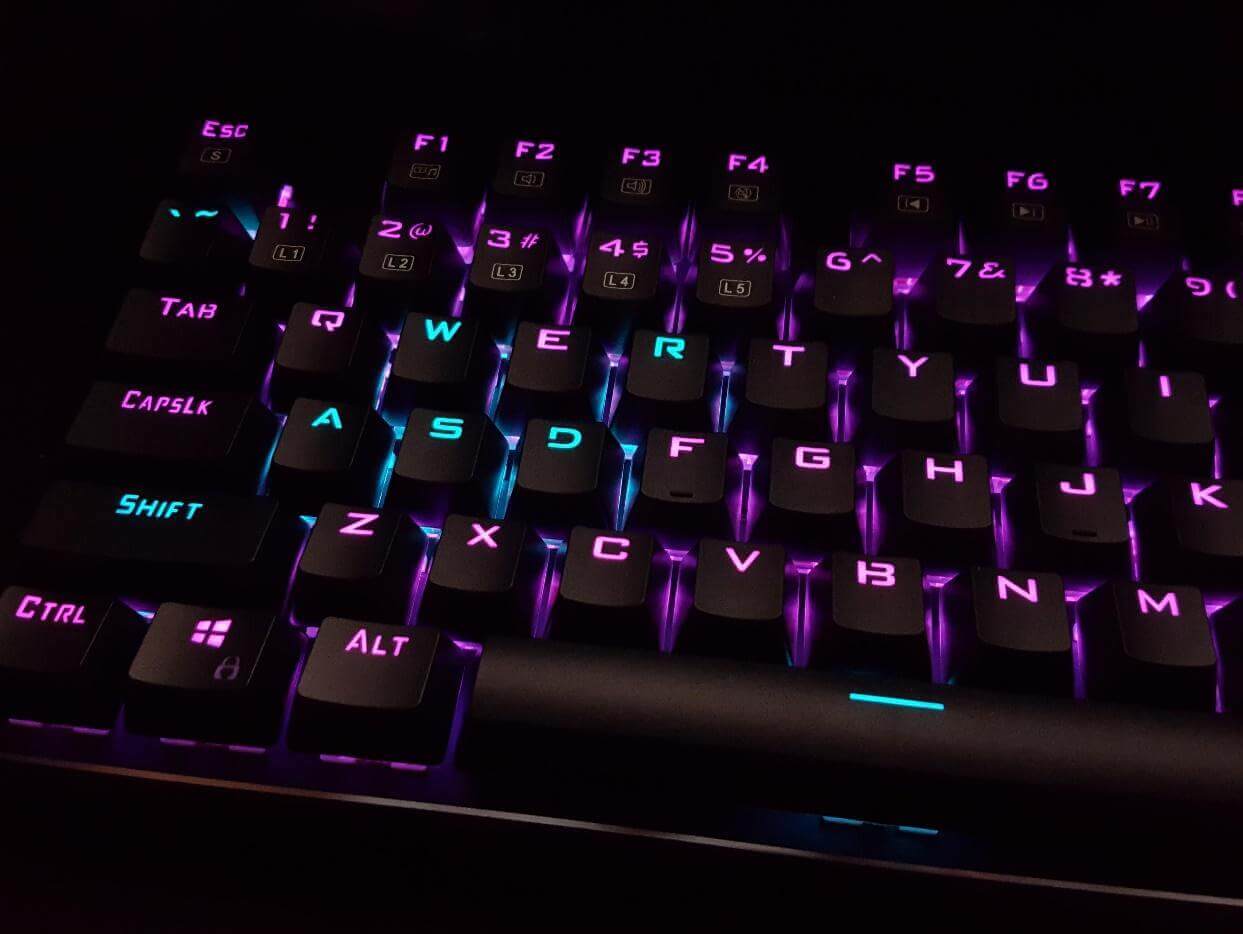
C:\Users\asadr\Downloads\l9ktuxvffrz01.jpg

Keyboards within the geographic point are often extraordinarily loud. Although some folks might welcome the symphony that looks like cooperation, others might get aggravated at the utter clacking and realize it terribly distracting.

Loud keyboards aren’t solely found at the workplace, however they’ll even be extraordinarily tumultuous at different places, like in your home, cafes, or the library.

The best quiet keyboards will place you back within the smart graces of your co-workers, roommates, and friends. Quiet keyboards square measure offered in each wired or wireless models. you’ll be able to conjointly purchase ones that come back complete with a mouse.

Following are the Best Silent Keyboards available in the market:

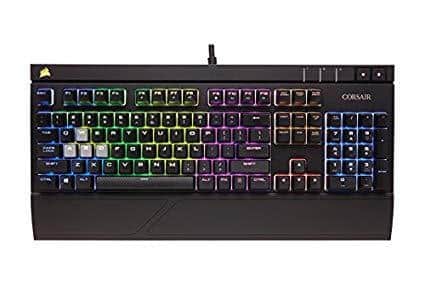
  1. CORSAIR Strafe RGB MX:

C:\Users\asadr\Downloads\41rhTFIhlUL._SX425_.jpg

Not solely are these keys quiet, however, the red key switch mechanisms are responsive while not a lot of force to relinquish you that edge for competitive play. This keyboard’s gaming-grade electronic equipment makes it so each key can register, maintaining together with your super speeds.

It’s silence factors? It uses sleek and quiet Cherry flux unit Red mechanical key switches, most popular by several gamers.

  1. Razer BlackWidow Chroma V2:

C:\Users\asadr\Downloads\96ad6b60-ae2d-4c29-85b4-6576078af075._CR0,0,1464,600_PT0_SX1464__.jpg

With its high-level mechanical switches, this recreation keyboard is implausibly responsive and quick, creating it excellent for superior recreation. The anti-ghosting technology keeps up along with your fast game play, registering up to ten commands at a time.

Its tactile and silent Razer orange mechanical switches are the reason for its silence.

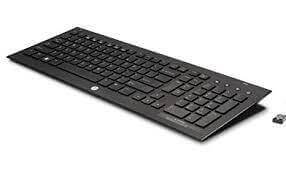
  1. HP Wireless Elite V2:

C:\Users\asadr\Downloads\download (2).jfif

When you need a sensible worth in an exceedingly quiet keyboard, the HP Wireless Elite V2 provides a high-quality keyboard for an affordable value. It comes in an exceedingly slim style that doesn’t take up a lot of area and provides a sleek vogue. At constant time, it provides you a life-sized keyboard nice for all of your writing desires.

The keys even have a low-profile style that’s sleek, snug to use and very much aware of your key strokes.

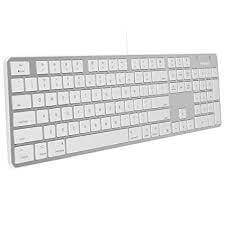
  1. Macally Ultra-Slim – Quiet Keyboard for Macs:

C:\Users\asadr\Downloads\download (3).jfif

We can’t dump all the Macintosh fans out there. this can be the quiet keyboard for you. It provides a keyboard for a large spread of Macintosh products including; MacBook Pro/Air, Apple Macintosh professional, iMac, and different devices.

This wired keyboard is extremely slim with low keys that are snug to kind on. The scissor-switch key style provides you additional quiet typewriting that’s additionally sleek

This keyboard comes with a USB wire association that’s easy to use. It uses plug and play technology thus you’ll quickly set it up and find to figure or play which is a good best tenkeyless mechanical keyboard.

All of this makes this keyboard the Best Silent Keyboard available.

  1. Logitech K800:

C:\Users\asadr\Downloads\wireless-illuminated-keyboard-k800-hero.png

While it comes with a better tag than alternative quiet typewriting keyboards, the Logitech K800 comes with options definitely worth the worth. It works with a wireless affiliation, and you’ll use it with extra devices through the USB receiver. It’s straightforward to charge with a micro-USB wire and can keep charged as long as ten days.

Tricks5
Tricks5

I am Very Enthusiastic about Writing Tech, Smart Phones, Products Reviews, Offers, and deals. I have been writing on tricks5.com since 2015.

tricks5.com

Filed Under: Uncategorized

Building an Unbeatable Big Data Strategy

December 20, 2018 by Tricks5 Leave a Comment

Developing a successful big data plan or approach is always a tricky task to say the least. The reason is that you need to stay well ahead of the competition in terms of recruiting the best talent in the job market as they join the workforce or leave another company.

Using the best data scientists available will provide a good return on your investment. For instance, Active Wizards experts are skilled in using analytic and visualization tools as well as understanding business plans and operations. Secondly, you also have to invest in the latest tech. Basically, a good team is only as good as the tools and equipment they are using.

Before going any further, what is big data? Simply put, big data focuses on vast amounts of data that can be analyzed and processed to determine projected patterns and trends associated with human behavior. From its description only, you cannot fail to notice the power and potential of big data. For instance, global retailers are using big data to generate personalized messages and promotional content for their customers. However, this is just a small part of big data. The power of big data does more than this, and it has led to making huge steps towards revealing new business models.

So, how can you stay ahead of your competitors when it comes to generating unbeatable big data strategies?

Identify Potential Data Scientists

Recruiting established and talented data scientists can be tricky due to the massive demand in the market. However, you can still search for people who are technically skilled and have the proper analytical skills for your firm or organization.

A piece of advice during the identification stage is not to focus exclusively on people from the I.T. department. Remember, using big data is an art, and creativity carries the day in most instances because of this. Creative people who can use different problem-solving approaches should be part of the team.

Educate

Once you have your team of soon-to-be data scientists, then the next step will be to train them. The best plan, in this case, is to enroll them in data science and big data analytics programs. This will help them to learn the essentials of big data such as visualisation and analytics.

Recruit

An important part of this whole process is to think outside the box. Do not pass on the chance to bring in skilled people that may not be part of the company. In most cases, the people from the outside can develop ideas that your workforce did not have. Developing fresh ideas to try and solve problems is what big data is all about.

Encourage Your Team

Building a new team and taking them to task always brings about mixed reactions. However, this does not help the cause. Better yet, it is wise to stick by your team and encourage them frequently. Positive direction motivates employees to achieve greater productivity than harsh criticism does. Additionally, be sure to invest in your team’s resources, training and certifications.

Tricks5
Tricks5

I am Very Enthusiastic about Writing Tech, Smart Phones, Products Reviews, Offers, and deals. I have been writing on tricks5.com since 2015.

tricks5.com

Filed Under: Uncategorized

  • « Previous Page
  • 1
  • …
  • 59
  • 60
  • 61
  • 62
  • 63
  • …
  • 79
  • Next Page »

Also Check

Free Calling Websites

Unlist Number from truecaller

Whatsapp group names

Oyo Referral code

Recent Posts

  • OYO Room Referral Code (GADDJV48M) Free 1000rs 2026
  • Linode Referral code (Free 100$ Credit) free 2 months 2026
  • 25+Best Free Calling Sites without Registration 2026
  • (200+) Whatsapp group names for friends,More 2026
  • How To Unlist Phone number from Truecaller 2026

  • OYO Room Referral Code (GADDJV48M) Free 1000rs 2026
  • Linode Referral code (Free 100$ Credit) free 2 months 2026
  • 25+Best Free Calling Sites without Registration 2026
  • (200+) Whatsapp group names for friends,More 2026
  • How To Unlist Phone number from Truecaller 2026
  • About
  • Contact Us
  • Privacy policy
  • Terms and Conditions

Copyright © 2026 · Designed By Tricks5.com

  • Contact Us
  • Terms and Conditions
  • Privacy policy