Tricks5

  • Home
  • Referral Code
  • Technology
You are here: Home / Archives for Uncategorized

Oppo A7 review: Does it stand upto its price point?

January 7, 2019 by Tricks5 Leave a Comment

Launched in August 2018, Oppo A7 came back in the business as the successor of A5. With big display and battery life, it looked similar to its predecessor. Though we found a waterdrop notch, still we find it in every new phone now- Nothing new.

With 4GB of RAM and massive 4,230mAh battery, the phone will cost around 17,000 Indian bucks. Oppo A7 is competing with Realme, Nokia, Honor, and Xiaomi in this range. But, does the phone beat the others? You can explore amazing prices deals by using available Amazon Coupons to get your best offers. Let’s check out in the Oppo A7 review below:1111

Display and Design

Oppo A7 comes with a waterdrop notch to give the device a good look and give more screen space. If you have to take a look at F9 of the same brand, you might find it similar. The rear body is of plastic with matte finish given to it. It gets a texture on the back too which looks really good. But plastic back, I am totally against it. Though it kind of feels like laminated, still it isn’t a very good feeling. canvaAt the back, Oppo A7 also packs a lightning fast fingerprint reader but catches fingerprint smudge easily.

Coming to the display, the device packs a 6.2-inch LCD HD+ (1520×720) display. Though the display is good, only HD+ is a huge question mark. The waterdrop notch on the front gives more screen space and with the thin bezels at the sides and bottom acts like a cherry on the cake. Although, the upper bezels are quite thick.

The phone also has face recognition feature which works pretty fine like other phones like Realme U1 and Realme 2 Pro.

Performance

Under the hood, Oppo A7 gives us a weak Snapdragon 450 at the range of Rs. 17,000. In this range, we expecting MediaTek Helio P60 or Snapdragon 636, but not this time. Companies offer this under the range of Rs. 10,000. With this weaker SoC pairs a 4GB of RAM onboarding 64GB storage. Honestly, the device is very weak in the performance department as on the AnTuTu it got the disappointing score of 72,081 points only. You can also check best gadgets online with Flipkart Coupons available to launch this year.

Camera and Battery Life

Oppo A7 packs a great camera quality as it has always been providing. Oppo A7 packs a dual cam set up at the back with a 13MP primary sensor with an f/2.2 aperture and a second 2MP sensor with an f/2.4 aperture for depth sensing. Features like autofocus, HDR, Portrait Mode are also included. Though autofocus is damn slow and the company has given no PDAF, the only good thing is HDR which turn on automatically. Honestly telling in good light, the camera does great but when in low light, it fades away.

For the selfies, the device offers a 16-MP camera. Unlike, the rear camera’s performance in low light, front shooter performs fine. It also has an AI beautification mode to smoothen the skin as iPhone XS does.

Coming to the battery life, Oppo A7 has the same battery as its predecessor with 4,230mAh on board. The battery is excellent and will work for the day and a half on a typical day. With heavy usages like gaming and stuff, it will still give you a great performance.

Other features

The Oppo A7 runs Android 8.1 Oreo out of the box with ColorOS 5.2. You will get new features in the device like SmartScan which lets you capture text and then translate or convert it into an editable form. Moreover, a new feature like ORoaming is also pretty fine which lets you subscribe to the data packs when you travel abroad. Like every ColorOS device does, this device too gives loads of shortcuts and gestures to do the job fast and fine.

The device comes in two color variants: Glaring Gold and Glaze Blue.

Verdict

The device at this price range doesn’t give us something new but a weak SoC. It has some goods like a great design and excellent battery life but the low light camera quality, HD+ screen and over that SoC wash that all away. At this price point, there are many devices you can go for like Nokia 6.1 Plus, Realme devices and Xiaomi Redmi Note 6 Pro. For me, the device gets a thumbs down- things went wrong for Oppo this time.

Tricks5
Tricks5

I am Very Enthusiastic about Writing Tech, Smart Phones, Products Reviews, Offers, and deals. I have been writing on tricks5.com since 2015.

tricks5.com

Filed Under: Uncategorized

5 Offline Music Apps to Listen To Music without Wi-Fi or Internet

January 5, 2019 by Tricks5 Leave a Comment

Music can touch our hearts. When confronted with different situations, we often turn to music. There are different songs composed for different purposes that can really be significant and helpful in various situations. When in sad conditions, music can soothe our souls. Besides, there are some songs that are specifically composed of happy moments or various tasks. Nevertheless, we may need music while in conditions that cannot allow us access to the internet.

When plagued with such a condition, where can one turn to? Well, thanks to technology, we can still access music even when offline. There is no need to struggle and fix music into our gadgets either.

This article reviews five music apps one can have and listen to music without WI-FI or internet connection. There are a number of sites that grant individuals permission to stream music as well as saving them for offline listening.

The following are five best examples of music apps that work in absence of WI-FI or internet connection.

1.Google Play Music

In most of the latest Android versions, this app comes already installed, unlike in the previous ones where individuals had to install them from Google play store. It is very efficient and conforms to most of the standards. Once the app is installed, one can enjoy listening to music offline.

It has the ability of loading music to the internal storage as well as incorporating album artwork. In addition, it has a very smooth user interface. It is characterized by orange theme color embedded on a white background, even though in most cases this aspect is covered by the album artwork.

This is a very fantastic app for all sorts of music. The music library is appropriately classified into four different categories; songs, albums, artist and traditional playlist. What is more, the player has a number of widgets that individuals can choose to place in the home screen as well as the lock screen. Nonetheless, the widgets may lack some attractive features of other players.

One of the most appreciated features of the player is its ability to individually select songs and add them to the queue as well as choosing the one to be played next. The only problem with the app is lack of the music equalizers and therefore may not be so appealing to individuals who appreciate more the quality of the sound rather than the music playing.

2.Deezer – Songs & Music Player

This yet another fantastic app that allows access to the kind of music you really love offline, irrespective of the place where you may be. You really don’t have to miss the fascinating experience of music brought about by this app.

It avails you with everything you can ever crave for, right from an unending playlist from your cherished artists to radio stations with limitless backing from a lot of channels you really love as an individual. More importantly, you can get your favorite music offline and listen to them even at the moment your router is acting up.

Furthermore, you have an opportunity to follow your best artists and be among the first ones to listen to their new hits once released. The app also allows you to come up with your own playlists and adapt them as you wish. This app can as well personalize the searches you make and offer you a number of suggestions on what to listen to.

3.Sound Cloud – Music & Audio

This an ideal option and one of the best Google apps the users of android can opt for. It has the ability to save the music you like for offline listening, perhaps after work. This feature makes it the most appropriate than many others from android that serve the same purpose. Besides. It offers recommendations based on your preferences and what is trending in the market. In addition, it has a social platform where individuals design their own music and popularize them. This is specifically an essential feature that can be of great help to the young and upcoming musicians.

4.Spotify Music

The app will allow you access to limitless music from different parts of the world apart from giving you access to them via your PC. It was launched in Sweden a decade ago and has a lot of updates, featuring among the best user-friendly apps out there today. The app comes with a number of attractive playlists, though you can create your very own if you so wish. You can stream your songs or videos and still listen to them offline.

5.Napster

The last on the list yet very important as well. The app provides an unlimited stock of music as well as radio streaming with no irksome ads. Be sure of listening to quality sound by opting for this app. The best thing about this app is that it is compatible with nearly all devices. It gives you an opportunity to save your music offline and listens to them in absence of an internet connection.

To summarize, most of the android phones come with their own music players. There are other apps with nice features as well, such as boom player from techno. Unfortunately, such apps do not have provisions for offline access to music. This article has covered five of the best apps that one use to save music for offline listening. Give them a trial.

Tricks5
Tricks5

I am Very Enthusiastic about Writing Tech, Smart Phones, Products Reviews, Offers, and deals. I have been writing on tricks5.com since 2015.

tricks5.com

Filed Under: Uncategorized

5 New ways to make your website faster

January 5, 2019 by Tricks5 Leave a Comment

Website speed plays a vital role in boosting your traffic and revenue. On the web, site speed is so important that fractions of a second can make the difference between a sale and a bad customer experience. Other than hurting your revenue and annoying your customers, a slow WordPress site will also damage your brand reputation

Your website is a business and just like any other business, it should be optimized to achieve its maximum potential. In this article, we have composed a list of the latest ways to make your WordPress faster. Read on to find out how you can get fast and efficient speed for your WordPress site. some times the websites may be shown in browser with issues.

1. Use VPS Hosting

Selecting the ideal hosting service depends on your performance demands, resource needs, cost constraints, and other factors. At times, site owners can’t seem to make a choice between VPS hosting (you can see this InMotion hosting review on this article by CollectiveRay) and the less costly alternative- Shared hosting.

With shared hosting, your site shares the same server with other sites. Although it’s a cheaper option, it comes with limited performance, bandwidth, and administration capabilities. The sites using shared hosting share server resources meaning this service offers limited resources for each site. All these limitations translate into a slow website.

VPS hosting allows you to enjoy more resources. More resources and bandwidth will obviously offer better overall performance. A VPS also gives you greater control over your site’s performance factor.

faster

If you want to make your WordPress faster, choose VPS hosting. It’s better than shared hosting but more economical than a dedicated server.

2. Enable HTTP2 on your WordPress site

If you are a site owner, you are already familiar with HTTP (HyperText Transfer Protocol.) It is the way a web page and a browser communicate so you probably use it every day.

HTTP2 is the latest version of HTTP. It has been optimized to make your WordPress site load faster with such optimizations as multiplexing.

2nd

HTTP2 enhances your site’s performance without requiring any extra effort from you. Before the HTTP2 version, site owners had to perform some hacks such as combination and minification to make their sites faster.

With HTTP2, these hacks are not necessary as they have been built into the protocol itself.

Other than being faster than the older HTTP1 version, HTTP2 have many speed optimizations; giving you more control over your website.

3. Use the latest version of PHP 7+

At times, site owners fail to upgrade to the latest software versions either because they don’t know a new version is available or fail to understand how beneficial an upgrade would be. That’s why we still have site owners who haven’t upgraded to PHP 7+ to date.

Compared to its predecessor (PHP 5.6), PHP 7+ is a massive improvement. It offers some amazing upgrades for your end users. PHP 7+ uses resources well, is faster and more secure.

PHP 7+ has such a huge performance boost that you will notice a performance increase of about 50% after making the upgrade. Better site performance comes with an increase in site speed.

3rd

As always, making your site faster is quite critical to the CRO of your site.

4. Use OpCache with PHP 7

OpCache is a powerful extension of PHP which was specifically built to enhance PHP performance. This boosts the application’s overall performance.

PHP scripts are usually compiled at runtime, where some of the computing time is spent converting the code. With OpCache, a calculation is performed once and the converted script saved in a cache. Loading the pre-compiled script from the cache it’s saved in can then be performed very fast. In most cases, OpCache increases the speed of websites significantly.

4th


In addition to this, enabling OpCache in a large website allows the site to handle a large number of requests at the same time.

5. Migrate to the latest version of MariaDB if you are still using MySQL

Since its development in 2009, MariaDB has replaced MySQL in many areas. Most site owners have migrated their databases from MySQL to MariaDB over the past few years.

65t

MariaDB features numerous performance-related improvements, including an improved query optimizer. MariaDB is, therefore, faster than MySQL. Although the improvement in performance is not that huge, faster is always better when it comes to the web since every millisecond counts.

MariaDB is also fully open and all its development decisions can be reviewed or debated by the public.

Wrapping Up

Now that Google includes load time in their ranking algorithm. The speed of your WordPress site can mean the difference between becoming a successful website owner or joining a myriad of failed websites. Fortunately, with these 5 latest ways to make your WordPress faster, you will have great results.

Tricks5
Tricks5

I am Very Enthusiastic about Writing Tech, Smart Phones, Products Reviews, Offers, and deals. I have been writing on tricks5.com since 2015.

tricks5.com

Filed Under: Uncategorized

3 Tips for using Adobe products(updated)

January 3, 2019 by Tricks5 Leave a Comment

When the majority of users think Adobe, Adobe Acrobat Reader and Photoshop pop up in their minds. The company, however, boasts of a glut of valuable software packages unknown to most of us.

Each of the Adobe software is downloaded individually or included in the Adobe Creative Cloud subscriber package; a collection of applications for graphic designers, audio and video experts, and photographers. Adobe offers varying pricing models as seen on their site.22222

1. Learn essential terms

To lessen the effort, it takes to complete tasks regardless of your choice of Adobe software, learn the terms behind the most important terms that pop-up in the surface during post-production like in the case for audio or video production.

Take a keen interest in delving into details or concepts, describing each plays into high-quality production. For instance, grasp how sample rates are employed in digital audio, what perceives loudness and mixing. Additionally, figure out how sound fields help in the selection of the appropriate audio track type, popular audio track layouts to mention a few.

Among the topics an audio expert needs to grasp include;

  • Popular audio deliverables
  • Mixing with identified loudness in mind
  • Use of audio meters for a better mix
  • Classify audio frequencies
  • Use of sample rates in digital audio

The above are just examples of what an expert in the digital audio field needs to learn for better user experience. Photographers and video experts will use different software packages but also need to grasp essential terms as per their respective Adobe product.

2. Online tutorials

In today’s internet age, no longer do eager learners need to peruse through hundreds of pages. Video tutorials are the trend today. Witty tutors compile videos which they post online, mostly on YouTube and avail tutorials for free or on a subscription basis.

As simple as it may seem, some people may not differentiate between Adobe Acrobat Pro Dc and Adobe Reader Dc. The latter a free application and the standard for printing, viewing, signing or commenting on all PDF documents. Downloadable on a good number of devices, Adobe Reader Dc suffices for anyone who wishes only to read PDFs. However, for persons who want to edit or create PDF documents, they’ll need the Pro version.

Users may also convert Word, Excel or PowerPoint documents to PDF using Acrobat pro as well.

An online tutorial will guide you to understand the different functionalities between various versions of the software.

3. Keep practicing

Possibly the most important among the three tips; practice. The more you use software, for whatever purpose, the better you become at using it. Within a short period, you’ll create spectacular stuff using your package of choice.

In the end, you’ll get out what you put in, thus keep pushing on. For beginners; as you get started, follow the above three tips in mind to catch the eye.


Tricks5
Tricks5

I am Very Enthusiastic about Writing Tech, Smart Phones, Products Reviews, Offers, and deals. I have been writing on tricks5.com since 2015.

tricks5.com

Filed Under: Uncategorized

4 Myths about Financing Your Future(updated)

January 3, 2019 by Tricks5 Leave a Comment

We cannot control what will happen to us in the future, although we can come up with strategies to make it better. People make unfounded financial mistakes from time to time by going for the things they cannot afford. These mistakes can be because of a faulty belief system. A lot of financial myths are popular, but the popularity deceives us into believing in them. Your financial future is just as important as your present. Therefore, you should know about these four myths about financing your future:

1231 1

1)    A Lifetime Mortgage Plan Could Render You Homeless

That is untrue. For people approaching the age of 55, you may have spent your youthful years trying to acquire a home for you, your spouse, and your children. This may have limited your ability to accrue enough savings to push you through retirement. The good news is that you can put your property through a lifetime mortgage plan and continue to draw an income, either as a lump sum or regular installments. You still get to keep your house. The money you get will only be recovered when the house is sold when you pass on or decide to sell the property. A good agent to handle this kind of mortgage plan is www.responsibleequityrelease.co.uk. Through such an agency, your future finances are secure.

2)    You Don’t Need a Budget As Long As You Track Your Spending

Knowing your spending and the amount of money you have does not guarantee you a safe future, no matter how much you have. When you are just tracking your usage, you are only looking back at what you have already spent. Through a budget, you get to plan how you are going to spend your money. You can also prioritize paying debts off, save for your emergencies, and plan for your future. Without a plan, you will end up spending your money on unnecessary, things and it puts your financial stability at risk.

3)    You Cannot Afford To Pay College Fees Without Student Loans

This is not always the case. Although college fees are high, there are alternatives to taking a loan. You can apply for scholarships and grants from organizations that give aids. You need to be aggressive and search for these opportunities to avoid spending your future paying off these loans. The struggle is worth to study debt free. You can also pay your fee on your own through a part-time job, some campuses offer work to students for pay or get a job off campus. Do not put your dreams of studying aside just because of this myth.

4)    By The Time You Reach Retirement, You’ll Have Made A Fortune

It would help if you prepared for retirement as early as now. Ensure you get to clear your debts before retirement. Make sure you have savings or get a pensionable plan. This is because when you get old, you will not have the energy to work for a living. The more you save now, the less you will worry in the future.

Tricks5
Tricks5

I am Very Enthusiastic about Writing Tech, Smart Phones, Products Reviews, Offers, and deals. I have been writing on tricks5.com since 2015.

tricks5.com

Filed Under: Uncategorized

Amazon Echo Review 2019 updated

January 1, 2019 by Tricks5 Leave a Comment

Humans have evolved so fast, especially in recent times. We have come a long way since the invention of the wheel. From building dams for electricity to the internet for building a global village, humans are creating all types of equipment to make lives easier.

One such creation is the Amazon Echo. Ever thought of how cool it would be to have a running speaker assistant wherever you are which can answer all your queries, do things and tasks for you like calling someone, set alarms, check the weather and update you on news. It is like an assistant who will do as you ask.

You can check this review out to understand the device better, so as to buy it in the future. There are some amazon promo codes that will not only make you want to order it right away but also help you in saving money without burning a hole in your pocket.

DesignAmazon

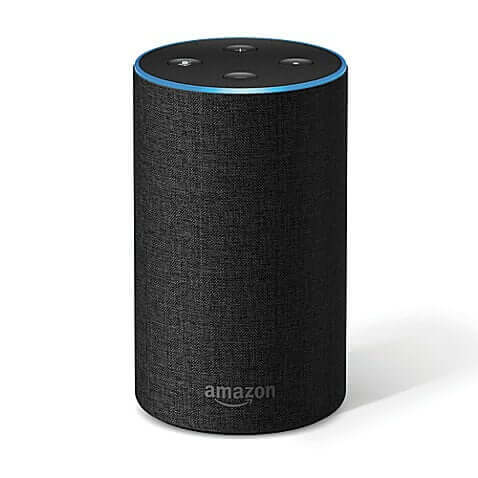
Amazon Echo is a smart speaker with a cylindrical shape, about 5.8-inch-tall and is approximately 2/3 the height of the original version. It has a black cover but also comes in various other colors like grey, walnut or oak finish, or metallic silver finish. On the top of the Echo, you will find physical buttons to start a voice command, control volume or mute a microphone. The body of the Echo is surrounded by a removable fabric cover. You can find a light ring along the border of the upper surface to let users know about the status of Echo.

Amazon Echo is a hands-free smart speaker that works by the control of the person’s voice. On switching it on, it connects to Alexa – a cloud-based voice service. Alexa is like your online assistant and you can ask it to do tasks like play music, videos, and TV, make phone calls, check weather and news, set alarms, control smart home devices, and much more.

Features

The most amazing feature about Amazon Echo is 360° omnidirectional Bluetooth speakers. With the immersive speaker quality and 7 internal microphones that are installed inside it, these speakers make Amazon Echo way better than any other smart speaker in the league. The sound quality is so brilliant that the room is filled with its amazing voice and will give anyone a feeling as if Alexa is sitting with you in the room and conversing.

Other than its powerful speakers, Echo also boasts of various other cool features. The Echo is getting smarter by the minute, learning and adapting from its environment, adding a new set of skills and tricks, with the most amazing features that you won’t believe. Amazon has also recently expanded its ecosystem with the Echo Dot, Amazon Tap, Echo Spot, and Echo Show.

Amazon has also added the Multi-Room Audio feature who was long demanded by customers to be added in Echo speakers. The Alexa App has various echo skills too to make lives easier for its owners. Amazon Echo is like a tech assistant that listens to all your commands and does as is told. It is a great addition for a family as you can set multiple timers and alarms on it. You can also control your smart home by installing echo-adaptive appliances like Philips lights, Nest and Sensi. One can also receive news, weather or traffic updates through Alexa. You can give your shopping list and to-do list and Alexa will check items off the list for you. The best part about Amazon Echo is its association with Amazon, which helps make things so easy for its users to be connected with Amazon, for online purchases, tracking orders or using Amazon Prime.

These incredible features make Amazon Echo one of the strongest contenders in the smart speakers’ competition. You can get yourself one through various online stores using Amazon offers today that will help you save big on the purchase.

Performance

It is really easy to use Amazon Echo. You just have to install Amazon Alexa App on your phone and purchase your Amazon Echo. Then you head to settings, set up your device and follow the setup instructions.

First things first, the speaker quality. The sound quality of the Amazon Echo is pretty good, as the audio sounds clear and crisp. Amazon has installed a 0.6-inch tweeter and 2.5-inch woofer into the device, which is powered by Dolby. It is this that makes the sound quality so detailed and clear. But at high volumes, you can experience a little distortion. But at this price, it’s a fantastic buy that one shouldn’t miss out on.

Then comes the App, Alexa. The Alexa app is wonderful and very easy to use. Its quick and responsive user interface makes working with Alexa very convenient. Amazon has invested a lot in smart home integration and this can be seen through Alexa as it works great with a number of smart devices than any other voice assistant around. At the skills level, it maintains the same level as other smart speakers. As a result, you can now control some devices directly from the app.

Amazon offers many other options like Echo with different price variations. Echo obviously stands out as it is the medium ranged speaker providing both basic voice assistant support or have a separate stereo and also gives you high-end features like more smart skills and better sound quality. It is a fantastic buy for anyone who is looking for a smart assistant for home control, plus well-amplified, crystal clear audio system. In this price range, it is really the best purchase.

Pros and Cons

There are a great number of pros and cons to the Echo that is discussed here. First comes the pros or the good things about the Echo. At the price given, it is of excellent value. It is very easy to set up and has a wonderful voice assistant Alexa who has an expandable range of skills that develop day by day. Its clean audio and simple voice control is a breeze to the ears and makes Echo a worthy buy.

One of the features that limit the Echo is that the speaker quality could be better. Alexa is great but it is hardly competition to Google home.

Review

There are a number of mixed review for Amazon Echo that will surely help customers make the right choice. TechRadar says that there are a variety of plus points to the latest Amazon Echo (2nd generation), like how the smart speaker is a refreshing update to the Amazon range, its price has dropped and the design has also become very elegant. Additionally, the voice assistant app Alexa gets better and learns new skills with each passing month.

IGN also states that although Amazon Echo’s audio quality isn’t as good as Google Home’s, the Skills are what really sets it apart. Echo can work with so many devices and services that make it more versatile for its uses.

TurboFuture also has similar views on Echo’s performance that in the price range given, Echo is one of the best smart speakers and definitely more versatile than other devices.

Conclusion

Today, speakers have long overthrown by smart-speakers. Now we have virtual assistants coming in in the form of small pods that not only help us in our daily tasks but also keep us updated about news, weather, and traffic. Amazon is known to be the best in its league for online shopping store, and now it has successfully expanded to the tech sector as well. Echo is one of the best smart speakers in the market and with the audio system quality, and the virtual assistant features as good as that, it’s hard to miss a deal that one should definitely go for. At the price range given, it is a clear winner.

Tricks5
Tricks5

I am Very Enthusiastic about Writing Tech, Smart Phones, Products Reviews, Offers, and deals. I have been writing on tricks5.com since 2015.

tricks5.com

Filed Under: Uncategorized

How to Convert and Edit PDF 2019

January 1, 2019 by Tricks5 Leave a Comment

Did you know that PDF (Portable Document Format) is the most used file format for storing and sharing information?

That shouldn’t come as a surprise because the PDF packs a lot of benefits under its belt. Here are just a few of them:

  • Self-contained: The formatting, fonts and layout will look the same every time reardless the operating system or software used for opening and reading them.
  • Print-friendly: PDF is the best file format for printing. What you see on the screen is what you get on the hard-copy.
  • Secure: Encrypted PDF files can restrict content viewing, copying and/or printing.
  • File size: PDF can be compressed into a small file size without compromising the document quality.

However, not everything is great about PDF documents. There are quite a few drawbacks to the format. Here are some of them:

  • Editing: The original idea behind PDF was to protect the content and layout of the document so they are not editable by their nature.
  • Some are images: PDFs created from a scanned hard-copy document are not searchable because they don’t contain any underlying text layer.

Don’t worry, there are ways to overcome these obstacles. The most obvious one is to use a dedicated PDF manipulation tool that can create, edit and convert PDF files.

No point in denying the obvious, PDF tools have become indispensable in the contemporary world, and everyone is using them to some extent. That’s why we are going to teach you how to convert and edit PDF files in the following paragraphs. We’ll be using Able2Extract Professional for these purposes.

Able2Extract Professional Overview

Before we show you how to convert and edit PDFs, let’s take a moment to get to know Able2Extract better. Here’s a list of noteworthy features you should know about:


  • Cross-platform: The software can run on Mac, Windows and Linux.
  • PDF Conversion: Convert PDF files to all popular file formats such as MS Office (Word, Excel, PowerPoint, Publisher), HTML, AutoCAD, images, OpenOffice, CSV, batch conversion.
  • PDF Creation: The software can create PDF documents from any printable file format and add various security parameters (password encryption, viewing/editing/copying permissions).
  • PDF Editing: It comprises PDF page editing (merge, split, delete, insert, rotate, resize, scale) and PDF content editing features: add/delete text and visuals, font, style and color modification options, add Bates numbering, annotations, perform content redaction, fill in and edit PDF forms.

How to Convert PDF

Able2Extract allows you to quickly convert your PDF files into easy-to-update formats such as Microsoft Word and Excel. The best part is that the software comes with an OCR engine and the batch conversion feature. In the following lines, we’ll show you how to OCR a PDF, how to convert PDF to Word and Excel and batch convert multiple PDFs at once.

How to Convert PDF to Word

Follow the steps below and learn how to convert PDF to Word.

Step 1: Launch Able2Extract Professional and click on the Open icon located at the command toolbar. After that, locate the PDF file you want to convert to MS Word, select it and click Open.convert to pdf 1

Step 2: Decide whether you want to convert the entire document or just an excerpt from it. To convert the entire document opt for the option All in the Select Area section. Likewise, to convert just a part of the document, click on the Area option and draw a selection box over the desired area.convert to pdf 2

Step 3: Look for the Word icon in the Convert to File Type section and click on it. Determine where you want to save the converted file on your disk, choose the file name for it and click on the Save button. Your file will open in MS Word as soon as the conversion is finished.convert to pdf 3

How to Convert Scanned PDF to Word

Converting scanned PDFs to Word with Able2Extract is easy. Simply follow the above steps for converting native, electronically generated PDFs to Word. The OCR engine is switched on by default, which means that it will recognize that you want to extract content from an image PDF. So it will perform OCR automatically for you and convert that scanned PDF to Word without any special action on your part.

How to Convert Multiple PDFs to Word

The batch conversion option allows you to convert entire folders full of PDF files to MS Word in one go. Here is the step-by-step guide:

Step 1: Click on the Batch conversion icon located to the far right of the top toolbar. A Batch conversion dialog will pop up.  

Step 2: In the Batch conversion dialog, you can customize your batch conversion with various options:

  • Add Files… – Add files one by one.
  • Add Directory… – Convert an entire folder to the desired file format (Able2Extract will scan the folder and convert every PDF file within it).
  • Output folder checkbox – by default, the software will save the converted files in the source folder. To change it, uncheck the Same as Source checkbox, click on the Browse button and select the desired output folder.
  • Convert to – Choose the conversion output format.
  • Security code – The software requires you to re-enter the security code (case insensitive).convert to pdf 4

Step 3: Hit the Convert button and initiate the conversion process.  

How to Convert PDF to Excel

When it comes to PDF to Excel conversion, Able2Extract provides two conversion types: Automatic (standard) and Custom (advanced). Automatic conversion is suitable for PDFs containing clean, well-defined tables that you want to translate into spreadsheets just as they are.

Automatic PDF to Excel conversion is performed in the same way as the above-described PDF to Word conversion. Open the PDF, make your selection, and click on the Excel button located in the toolbar. In the Convert to Excel dialog, click on the button Convert located under the Automatic conversion option.  

Custom PDF to Excel option is for complex PDF tables. This advanced feature enables you to manually edit the table layout (row and column structure) and preview the output in the program window prior to converting the file to MS Excel. Here’s how to do it.

Step 1: Open the PDF you want to convert, select the area you want to convert to Excel and click on the Excel icon. A Convert to Excel dialog will appear. Click on the Define button.convert to pdf 5

Step 2: Customize your PDF to Excel conversion by adjusting the rows and columns (by manually moving the lines around the table) or using the options from the custom PDF to Excel options panel on the right. You can modify the named table structures, add, delete and replot tables, manipulate rows and columns (add, delete), edit headers and footers and preview every change you make to check if everything is ok.convert to pdf 6


Step 3: Click on the Convert button and Able2Extract will extract the selected tabular data from PDF to MS Excel.

How to Edit PDF

Able2Extract can edit PDF in a number of ways. You can edit or create a PDF form from scratch, add or delete PDF text and images, export and merge PDFs, delete and insert PDF pages, insert watermarks and other annotations, redact sensitive data and more.

How to Add/Delete PDF Text and Images

Step 1: Open the PDF file you want to edit and click on the Edit icon on the command bar. The tool will switch to PDF editing mode.convert to pdf 7

Step 2: Add or delete text and images using the appropriate options from the editing panel on the right.

To delete text and images click on the Delete icon and remove the desired elements from the document. In the same way, use the Add text and Image options to write on the document and insert photos.

You can also redact certain confidential words or whole paragraphs with the Redaction tool. Just click on the Redaction icon and draw a box around desired content to redact it from the document. By redacting PDF, you will black out confidential or finance information that you don’t want to share with anyone else.

How to Add/Delete PDF pages

Here’s how to add new pages (blank and/or from other PDF) and remove unnecessary ones from your PDF document.

In the Pages section of the editing panel, click the Delete… button and determine the first and the last page you want to remove from the document. Similarly, use the Insert… and Insert from PDF… buttons to either insert blank pages or pages from a different PDF to the document you’re editing.

In the same manner, you can extract, move, rotate, resize and scale PDF pages with Able2Extract.

We hope this handy guide gives you a good idea on how to convert and edit PDF files using one software only. If you have any questions or comments, please leave them in the comment section below.

Tricks5
Tricks5

I am Very Enthusiastic about Writing Tech, Smart Phones, Products Reviews, Offers, and deals. I have been writing on tricks5.com since 2015.
tricks5.com

Filed Under: Uncategorized

How To Fix This Copy Of Windows Is Not Genuine {Solved 2019}

January 1, 2019 by Tricks5 Leave a Comment

Fix This Copy Of Windows Is Not Genuine

A Complete Guide Step by Step on How To Fix This Copy Of Windows Is Not Genuine:                                            Yes you got it right today I share a very common problem faced by windows user “this copy of windows is not genuine” problem.

fix this copy if windows genuine

Even new technologies emerge every day now and then but still, windows are the best operating system for personal as well as business purposes. Majority of the people uses  Windows operating system on regular basis for business works or personal needs all around the globe. Just imagine you have important work to do and a message pop ups saying “This Copy Of Windows Is Not Genuine”. 

This makes someone most frustrated and isturbed when you are busy with your work. This usually happens when you are not using the genuine Windows license copy.

The message this copy of windows is not genuine fix pop-ups every time when you turn on your PC or operate your computer or laptop.

If you have a genuine copy of windows then its ok but when you are not using the genuine copy of windows.  Then, in this case, you have to face this problem of windows activation error.

Finally, the wait is over, I will share a post of permanent solution of “remove this copy of windows is not genuine 7601″

We gave you a complete step-by-step process on how you can fix this windows not genuine error problem. Generally, this kind of errors arises in windows 7 build 7600.

Most of us use Windows as our systems who use computers and notebooks. It so happens that after you install Windows on your system you begin to see this image. It says This Copy of Windows Is Not Genuine. So with the help of this How to Remove Windows 7 Genuine Notification Build 7601 guide, you can easily fix it.

Similar Problems to This Copy Of Windows Is Not Genuine.

There are many problems associated with Windows not genuine errors, This copy of windows is not genuine build 7601, this computer is not running genuine windows in it. This copy of windows is not genuine build 7600, build 6002 you face this similar kind of problems.

This kind of errors is faced in all Windows versions of Windows 7, Windows Vista, Windows XP, Windows 8,8.1 & Windows 10.

We have provided many methods to get complete solution of this remove this copy of windows is not genuine permanently.

Let’s get started,

Methods to Solve This Copy of Windows is not Genuine

Method 1: Very Easy Just Uninstall KB971033 Update.

Whenever you work on a computer or operate it, you will get an error message of “this copy of windows is not genuine 7601 fix”. Basically, it means that your Windows has an updated file which is capable to detect your Windows operating system.

Hence to get rid of this problem simply uninstall the following updates.

Step 1- On Left Side of Window Click on Start menu option, then open the Control panel window.

Step 2- After that Click on System and Security.

Step 3- Then click on Windows update option.

Step 4- Then you will Find the update of KB971033. Right, click on this update.

Step 5- Click Uninstall. This update will be uninstalled in few minutes.

Step 6- Restart your computer or laptop.

Method 2: Using Command Prompt Method.

Step 1- By using a command  SLMGR -REARM in the command prompt you will get rid of this problem very easily. In start Menu search for CMD and run the command prompt window as your administrator.

Step 2- Once you have Command prompt window opened, Enter the SLMGR -REARM command in the command prompt window and hit enter. Sometimes this command may not work in windows 7 version so may you can try for SLMGR/REARM.

Step 3- Hit Enter button. Then you will get a message to restart your computer.

Step 4- Click on OK  then your PC will restart your computer successfully.

Once you restart your PC or Notebook then you will see that the messages “this copy of windows is not genuine” will no longer pop up on your screen. This way you will remove this copy of windows is not genuine error for permanently.


Method 3:  RSOP Tricks to Remove the Error of “This Copy of Windows is not Genuine

Another great method to remove the error generated on your windows screen through RSOP method where RSOP stands for Resultant Set of Policy Window. 

Step 1-Start by Pressing Windows + R button to Open Run Windows

Step 2- Then Type rsop.msc in the run window and then press the Enter button.

Step 3- Now follow this path which is Windows Settings > Security Settings > System Services.

Step 4- The window box will appear on your screen that will look like-

Step 5- In above fig, you see the highlighted option, Plug, and Play in system services. Right click on it  and find the startup option.

Step 6- From Startup option, choose an automatic option from there.

Step 7- After above steps are complteted again press Windows + R button to open RUN windows. When these RUN Windows get opened then you can paste this command- update /force. Then press the enter button.

Step 8- Restart your computer.

Well, Just following above steps,

You will finally get rid of this problem “this copy of windows is not genuine build 7601”.

Method 4: Turn OFF the Updates To Remove this copy of windows is not genuine.

Well, when you used the pirated version of Windows OS then it is strongly recommended to turn off updates.

You must turn off the updates to solve “this copy of windows is not genuine build 7601 fix” problem.

Simply turn off the updates, otherwise, your windows will get updated automatically,

If your windows get updated automatically then it will generate the notification of “This Copy Of Windows Is Not Genuine Fix”.

 Follow these steps to stay away from getting this message-

Step 1- Open the Control panel from the Click on start button And open the Control Panel.

Step 2- When you open control panel, then go to Windows update option.

Step 3- Click on “Install Updates Automatically” option from there.

Step 4- Select “Never Check for Updates” options.

Step 5- Click on Apply to changes these setting will turn Off the updates successfully.

Conclusion: This Copy Of Windows Is Not Genuine Error.

Everybody wants to get there work done quickly, and its there dream to get an error-free PC or Notebook. So Basically this topic is all about this copy of windows is not genuine build 7600 error. We have provided you best suggestive methods that you can try,

To get rid of the interrupted message that says “This copy of Windows is not genuine fix”.  Above methods are fully tested and used. If you follow our guide correctly then you will definitely get rid of windows is not genuine error.

If you find our guide useful then plz share and bookmark it for future updates.

Tricks5
Tricks5

I am Very Enthusiastic about Writing Tech, Smart Phones, Products Reviews, Offers, and deals. I have been writing on tricks5.com since 2015.

tricks5.com

Filed Under: Uncategorized

Free Fantastic Logo creator 2019 (updated)

January 1, 2019 by Tricks5 Leave a Comment

How to Make Fantastic Logos with DesignEvo

Are you trying to make a logo for your new start-up, website, small business, shop and so on, but do not have a budget to hire professionals, and know nothing about graphic design?You should try DesignEvo logo maker out and you will be surprised at what it can do for you!

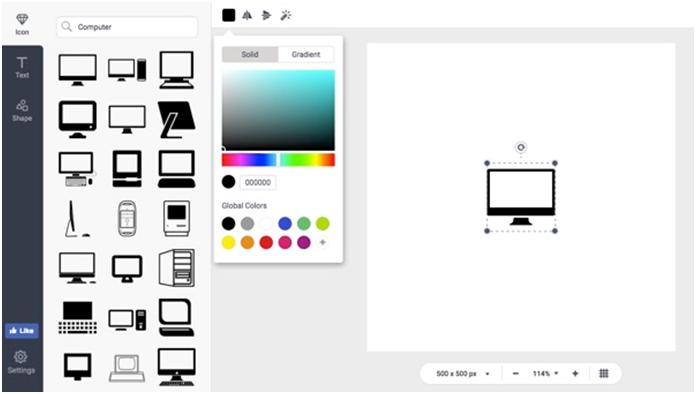
It’s simple and straightforward. To create a fantastic logo, you just need to spend a few minutes on the site and the best of all, it’s completely free! You can search through millions of iconsfrom its large library of database, and choose from 100+ free fonts to use. Type the keyword in the search box and DesignEvo’s smart search engine will find the related icons for you. You only need to select the one you want with a simple click, and go to adjust opacity and mirror effect on the editing canvas.It’s also easy to add company name or slogan on your logo, and further editthe color, style, alignment, format, and so on.

How to Make a Logo withthree Steps

Add Iconsor Shapes

A large collection of vector icons and shapes are available. Whether you want an icon that fits yourrestaurant, travel agency, education club, real estate, photography studio, or technology website, DesignEvo will serve you. To enhance the logo with some shapes, you have choices of circles, rectangles, triangles and lines, which can be freely scaled without losing quality.

111017 0324 Freelogocre1

Edit Text

Text matters a lottoyour logo. Usually, you canadd your company name and slogan if you have. DesignEvo offers you hundreds of free fonts and styles and you cancustomize font color, style, size, alignment, spacing, or add outline and glow effectsto make your logo text unique and distinct.

111017 0324 Freelogocre2

Download

Once you are satisfied with your logo, you have the option to preview how it will look like if it’s printed on your business card, stationery, envelope, shirt, etc. After that, instantly download the logo to your computer, without any restriction and watermark. You will get a zip file, which containsa JPG and PNG, as well as a transparent PNG file.

111017 0324 Freelogocre3

With DesignEvo, you don’t need any previous experience or skills to complete a custom logo. You can see some of its highlighted features here:

* Completely free to use.

* No need to register.
* Very intuitive and easy to use.
* No professional skills are required.

* No need to download any software.
* Over 1,000,000professionally-designed icons.
* Choose from 100+ free fonts.

* Lots of shapes, symbols, banners, and decorations available.
* Undo and redo every step of logo editing.
* Preview function.
* Download without limits.

Verdict:

DesignEvo is one of the best logo design tools online. It helps everyonemakefantastic logos simply, quickly and download for free.

No matter who you are, like bloggers, small business owners, entrepreneurs, or startups, you can takeDesignEvoas your free logo design expert and use it to create professional logos for marketing needs or promotional purposes. It also has many customizable logo templates from which you will findmany ideas to design your free custom logo.

Tricks5
Tricks5

I am Very Enthusiastic about Writing Tech, Smart Phones, Products Reviews, Offers, and deals. I have been writing on tricks5.com since 2015.

tricks5.com

Filed Under: Uncategorized

Best SMS Apps for Android 2019 (Verified)

January 1, 2019 by Tricks5 Leave a Comment

The Android market, for one, never fails to provide SMS Android app a modern bit firmly. Presently, there could be varied applications that may help manage your SMS messages and present them because we are part of a visually appealing manner other then among these apps. One as to the basic desires associated with a mobile phone is to
firmly be able to firmly connect to firmly some individuals from the power of texting. Text messaging, too called SMS, is definitely as to the functions never to firmly be missed out because we are part of a phone. Though text messaging is a previous purpose, it’s sensible to firmly be aware that its vogue has evolved after a while.

Here some hailed as awesome SMS Android app are presented below:

SMS Popup:

This is often a customizable application which seems to come with features to firmly improve the efficiency of your respective SMS. SMS popup’s user interface is straightforward and practical. One among its useful features happens to be the popup dialog box that allows you to firmly reply quickly once you receive a brand new message. In case you
get a brand new SMS, an atiny low dialog box can pop up showing the answer and the partner sending it.You can check URET Patcher for patching paid apps for free.

Moreover, you might want to merely reply or delete the SMS from this dialog box. What’s a lot of amazing is you can employ the app’s voice button to firmly utilize speech-to-text feature. This is often particularly nice when you’re already tired with precious thumbs. Surely, SMS popup is definitely must-have extension to firmly your customary SMS application.

Handcent SMS:

This is often an enhanced SMS Android app that delivers a large amount of customization choices. This android app shows text message conversations because we are part of a bubble design that would be easier to firmly follow and is a lot of pleasing to seem at as compared to firmly the customary SMS system in Android. Still, you
might want to alter the background color of your respective conversations, choosing from many different kinds of message presentations and importing new font packages to firmly fancy the lettering.

Once you open handset from the Android phone, you may see a list of your respective contacts and to firmly begin a messaging session with a brand new contact, you either opt for an existing contact or you hit
a button for the high as to the screen. After choosing a contact, you may see a screen containing a message stream from the most recent messaging session with that specific contact. You might want to currently begin the messaging and continue the stream.

Handcent’s interface includes a phone button for the high just about every one of them messaging screen in situations when you decide to firmly stop the messaging session and decision the partner. A handset widget from the phone too tells you if you really have new messages and just how many there could be. Overall, this app lets you spruce the look and feel of your respective Android phone’s messaging purpose.

ChompSMS:

This is often one nice text messaging app that includes features like contact picture thumbnails, time stamps on messages which you ll notice are shown in sequence, set-up of specific ringtones for contacts, and blacklisting of bound numbers. Compared to firmly alternative applications, chomp SMS is amazingly abundant a similar
other then the only real distinction is it features ads along side bottom of your respective screen.sms androidIf you really wish to enable the quick decision and contact picture functions, you only want to firmly go to firmly settings, then customize look, scroll to firmly the bottom and check the very last 2 features. The bonus purpose in this app is it features a free text messaging service referred to as textfreek. In spite of this, it’s solely exclusive among textfreek users. Having Nokia 220? Check WhatsApp for that phone, Nokia 220 VXP.

GoSMS:

Among the totally different SMS applications, SMS Android app is often the only real app that offers security and back-up or recovery settings. Such settings are handy most especially if you’re thinking of doing a factory reset or you wish to amendment phones. The security settings are incredibly similar to firmly android’s lock screen settings, that supply pin-based unlocking strategies.

Google Voice:

One as to the features in this app is it assigns a private phone range to you personally like the user. You can employ this range to firmly build calls or to firmly send text messages via the online. Google voice’s on-line service archives your voice mails and text messages, giving you a commit that you may never lose your conversations. The downside in this android application is it lacks customization choices or most as to the features that alternative apps have. In
spite of this, it makes up with its ability to firmly send free text messages and to firmly sync with the Google account. In situations when you’d run into wi-fi hotspots or you wish to build a few international calls, Google voice would continually can be found in handy as an awesome SMS Android app.

Tricks5
Tricks5

I am Very Enthusiastic about Writing Tech, Smart Phones, Products Reviews, Offers, and deals. I have been writing on tricks5.com since 2015.

tricks5.com

Filed Under: Uncategorized

  • « Previous Page
  • 1
  • …
  • 60
  • 61
  • 62
  • 63
  • 64
  • …
  • 81
  • Next Page »

Also Check

Free Calling Websites

Unlist Number from truecaller

Whatsapp group names

Oyo Referral code

Recent Posts

  • OYO Room Referral Code (GADDJV48M) Free 1000rs 2026
  • Linode Referral code (Free 100$ Credit) free 2 months 2026
  • 25+Best Free Calling Sites without Registration 2026
  • (200+) Whatsapp group names for friends,More 2026
  • How To Unlist Phone number from Truecaller 2026

  • OYO Room Referral Code (GADDJV48M) Free 1000rs 2026
  • Linode Referral code (Free 100$ Credit) free 2 months 2026
  • 25+Best Free Calling Sites without Registration 2026
  • (200+) Whatsapp group names for friends,More 2026
  • How To Unlist Phone number from Truecaller 2026
  • About
  • Contact Us
  • Privacy policy
  • Terms and Conditions

Copyright © 2026 · Designed By Tricks5.com

  • Contact Us
  • Terms and Conditions
  • Privacy policy